Yep, we may get a tiny thank-you (read: commission) when you buy through
links on Gadgetspotr — not enough for a yacht, but enough to keep the lights (and
servers) on.
Learn more
18
Highlights
33
Differences
6
Reactions
0
Likes
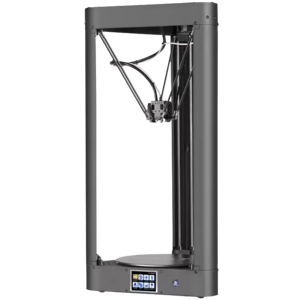
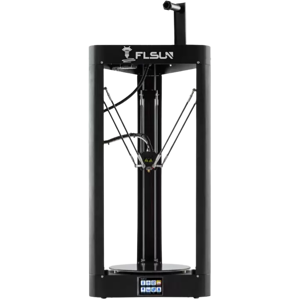
FLSUN QQ
vs
FLSUN QQ-S:
18 Highlights & 33 Differences —
So, Which 3D Printer Actually Works Better
Find out the upgrades that the QQ-S offers over the QQ. Simple and straightforward info to help you pick smart.
What sets FLSUN QQ apart from FLSUN QQ-S? This 3d printers face-off compares specs like vibration sensor, print log storage, height & weight and beyond.
FLSUN QQ vs FLSUN QQ-S: A Comparative Review of Delta 3D Printers
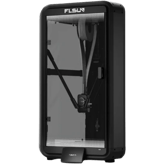
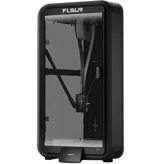
When diving into the realm of delta-style FDM 3D printers, FLSUN QQ and FLSUN QQ-S stand out as popular options suited for consumers and educational users alike. Both models originate from China, boast a 1-year warranty, and focus on delivering reliable, precise prints with a layer resolution down to 50 microns.
They share the fundamental features of delta frame construction, compatible with common 3D filament formats like STL, OBJ, and G-code, and operate within a similar voltage range of 110-220V with external power supplies. Yet, while they seem similar on paper, crucial distinctions set these printers apart; FLSUN QQ prioritizes larger build volume and faster potential speed at a budget-friendly price, whereas the QQ-S upgrades the interface and post-processing capabilities with added user experience perks at nearly double the price.
Expanding Creative Horizons with the FLSUN QQ
The FLSUN QQ impresses with its sizable 1121.31 inch³ build volume, giving an edge to makers who need more room for larger models or multi-part assemblies. Measuring 31.5 inches in height but lighter at just 26.46 lbs, the QQ offers a compact footprint demanding only 0.91 m² of workspace, making it ideal for desktop setups. Power-wise, its energy consumption is efficient at 360 watts, which favors longer printing sessions without excessive electricity costs.
The printer boasts an official maximum print speed of 300 mm/s, double that of the QQ-S, though real-world effective speeds hover around 60 mm/s for both models. While the QQ lacks a detailed screen resolution, it holds an advantage for users who prioritize build size and faster head movement without the need for advanced UI features. Additionally, its operating environment accommodates a 20%-80% humidity range, supporting flexibility in varied climates.
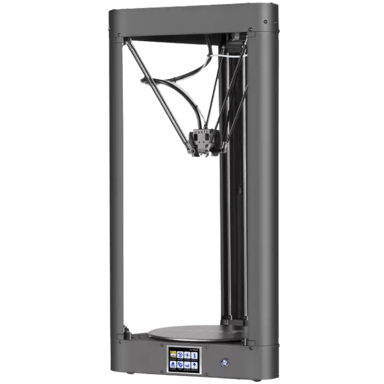
Though the QQ comes as an open frame without air filtration or enclosure, it still offers essential maintenance options like nozzle replacement and easy access to spare parts to keep the printer running smoothly. These aspects, combined with the straightforward firmware update capabilities, make the FLSUN QQ a solid choice for budget-conscious makers focusing on core printing performance.
Polished User Experience with the FLSUN QQ-S
While the FLSUN QQ-S sacrifices build volume with a smaller 838.4 inch³ build space, it compensates with user-focused enhancements. The model includes an upgraded 320x240 screen resolution on its 3.2-inch display, offering clearer visuals and better control navigation for smoother operation. Weighing slightly more at 28.66 lbs and requiring a larger 1.15 m² footprint, it's a bit less compact but designed with a more modern build.
Its official max print speed is rated at 150 mm/s; half that of the QQ, but the documented 45-minute Benchy print time reflects practical results and steadily reliable print quality at the same 50-micron accuracy level. The QQ-S also consumes significantly more power, drawing around 720 watts, a factor users should consider for prolonged or multiple print jobs.
A standout feature is its compatibility with post-processing equipment, an upgrade the basic QQ lacks, enhancing finishing options for more professional print results. Furthermore, the QQ-S offers enclosure potential as an upgrade path, providing environmental control that benefits filament adhesion, noise reduction, and safety, notably in harsher or multi-user lab settings. This upgradeability, paired with the enhanced UI, gives the QQ-S a user-friendlier appeal, albeit at a higher price point.
Quick Take
The FLSUN QQ shines with its expansive build volume, faster official print speeds, and budget-friendly price, making it an excellent pick for those needing larger projects and a powerful printer without breaking the bank. Conversely, the FLSUN QQ-S offers an improved screen experience, post-processing support, and optional enclosure upgrades, solving usability issues and adding refinement at a premium cost.
Bottom Line
Ultimately, the FLSUN QQ emerges as the better choice for users prioritizing sizable print capacity and speed on a tight budget, delivering practical features and sound print quality. The QQ-S caters more to those who appreciate enhanced interface control, advanced finishing workflows, and the flexibility of enclosure options, suited for environments where printing conditions demand tighter regulation and user comfort.
Verdict
Winner: FLSUN QQ; Larger build volume and faster max speed make it the best value for hobbyists and learners.
Runner-up: FLSUN QQ-S; Enhanced UI and enclosure upgrade support suit advanced users willing to invest in extra convenience.
Side by side. The numbers. The features. No drama.
Not sure which smart tech to go for? We compared FLSUN QQ vs FLSUN QQ-S down to every detail — including specs, perks, and what users are really saying.
Both FLSUN QQ and FLSUN QQ-S come with a 1 Year warranty period, ensuring equal purchase protection. This similarity makes either model a reliable choice for buyers looking for a standard warranty coverage.
Coverage period offered by the manufacturer.
In the battle of Warranty Period,
FLSUN QQ ◉ is
same as
FLSUN QQ-S ◉
.
Don’t keep it to yourself — be the first to react and review the
Warranty Period on FLSUN QQ ◉
vs FLSUN QQ-S ◉ and help others decide!
Both FLSUN QQ and FLSUN QQ-S are manufactured in China, indicating consistent country of origin. Buyers can expect similar manufacturing standards for both models given their shared origin.
The country where the product is designed or manufactured.
In the battle of Country of Origin,
FLSUN QQ ◉ is
same as
FLSUN QQ-S ◉
.
Don’t keep it to yourself — be the first to react and review the
Country of Origin on FLSUN QQ ◉
vs FLSUN QQ-S ◉ and help others decide!
The FLSUN QQ was released in 2018, whereas the FLSUN QQ-S came out a year later in 2019. This one-year gap may mean the QQ-S has some incremental improvements, making it suitable for those wanting a slightly newer model.
The year the 3D printer was first released.
In the battle of Release Year,
FLSUN QQ ◉ is
same as
FLSUN QQ-S ◉
.
Don’t keep it to yourself — be the first to react and review the
Release Year on FLSUN QQ ◉
vs FLSUN QQ-S ◉ and help others decide!
The printer type for both FLSUN QQ and FLSUN QQ-S is FDM/FFF, implying they use the same fused deposition modeling technology. Customers familiar with FDM printers will find consistent printing methods in either model.
Defines the printing technology used by the machine.
In the battle of Printer Type,
FLSUN QQ ◉ is
same as
FLSUN QQ-S ◉
.
Don’t keep it to yourself — be the first to react and review the
Printer Type on FLSUN QQ ◉
vs FLSUN QQ-S ◉ and help others decide!
Both printers are intended for consumer and educational use, highlighting similar target audiences. Those who want printers for learning or home use will find suitable options in either the FLSUN QQ or QQ-S.
Identifies the main user category.
In the battle of Intended Use,
FLSUN QQ ◉ is
same as
FLSUN QQ-S ◉
.
Don’t keep it to yourself — be the first to react and review the
Intended Use on FLSUN QQ ◉
vs FLSUN QQ-S ◉ and help others decide!
Assembly Required
Is assembly required?
No
0Votes
FLSUN QQ
Yes
0Votes
FLSUN QQ-S
FLSUN QQ
The printer does not require assembly; it comes prebuilt and ready for use, reducing setup complexity.
FLSUN QQ-S
Assembly is required for this printer, meaning users must put together components before use, typical for kit-type models.
States if the printer requires assembly.
In the battle of Assembly Required,
FLSUN QQ ◉ is
better than
FLSUN QQ-S ◉
.
Don’t keep it to yourself — be the first to react and review the
Assembly Required on FLSUN QQ ◉
vs FLSUN QQ-S ◉ and help others decide!
Target User Level
What is the target user level?
0
FLSUN QQ
0Votes
Consumer
0
FLSUN QQ-S
0Votes
Beginner, Intermediate
FLSUN QQ-S
Target users range from beginners to intermediate level, indicating the printer is designed to be accessible yet capable enough for hobbyists.
Indicates the recommended skill level.
In the battle of Target User Level,
FLSUN QQ ◉ is
same as
FLSUN QQ-S ◉
.
Don’t keep it to yourself — be the first to react and review the
Target User Level on FLSUN QQ ◉
vs FLSUN QQ-S ◉ and help others decide!
Assembly Type
What is the assembly type?
0
FLSUN QQ
0Votes
Kit
0
FLSUN QQ-S
0Votes
Kit
FLSUN QQ-S
This printer comes as a kit that the user assembles, ideal for those wanting hands-on experience with the hardware but may involve a learning curve.
Shows whether the printer is sold as a kit requiring assembly or fully prebuilt.
In the battle of Assembly Type,
FLSUN QQ ◉ is
same as
FLSUN QQ-S ◉
.
Don’t keep it to yourself — be the first to react and review the
Assembly Type on FLSUN QQ ◉
vs FLSUN QQ-S ◉ and help others decide!
Upgrade Path
Does it support an upgrade path?
Yes
0Votes
FLSUN QQ
Yes
0Votes
FLSUN QQ-S
FLSUN QQ
The printer supports an upgrade path, allowing users to add new features or enhancements over time, which can extend the printer's useful life.
Whether the printer can be expanded with official or third-party upgrades.
In the battle of Upgrade Path,
FLSUN QQ ◉ is
same as
FLSUN QQ-S ◉
.
Don’t keep it to yourself — be the first to react and review the
Upgrade Path on FLSUN QQ ◉
vs FLSUN QQ-S ◉ and help others decide!
Product Name
What is the product name?
0
FLSUN QQ
0Votes
FLSUN QQ
0
FLSUN QQ-S
0Votes
FLSUN QQ-S
The commercial name of the 3D printer.
In the battle of Product Name,
FLSUN QQ ◉ is
same as
FLSUN QQ-S ◉
.
Don’t keep it to yourself — be the first to react and review the
Product Name on FLSUN QQ ◉
vs FLSUN QQ-S ◉ and help others decide!
Model Number
What is the model number?
0
FLSUN QQ
0Votes
QQ
0
FLSUN QQ-S
0Votes
QQ-S
Manufacturer’s reference code for precise identification.
In the battle of Model Number,
FLSUN QQ ◉ is
same as
FLSUN QQ-S ◉
.
Don’t keep it to yourself — be the first to react and review the
Model Number on FLSUN QQ ◉
vs FLSUN QQ-S ◉ and help others decide!
Supported Applications
What applications are supported?
0
FLSUN QQ
0Votes
Prototyping, Miniatures
0
FLSUN QQ-S
0Votes
Prototyping, Miniatures
Lists the most common applications supported.
In the battle of Supported Applications,
FLSUN QQ ◉ is
same as
FLSUN QQ-S ◉
.
Don’t keep it to yourself — be the first to react and review the
Supported Applications on FLSUN QQ ◉
vs FLSUN QQ-S ◉ and help others decide!
The package weight for FLSUN QQ is 30.86 lbs, slightly lighter than the QQ-S which weighs 31.97 lbs. The lighter package of QQ may be preferable for those needing easier transport or handling.
total shipping weight including packaging.
In the battle of Package Weight,
FLSUN QQ ◉ is
better than
FLSUN QQ-S ◉
, delivering
lower
1.1 lbs
measurement.
Based on community votes for Package Weight,
FLSUN QQ ◉ earned
1 votes,
more than
FLSUN QQ-S ◉,
which got 0 votes.
The FLSUN QQ weighs 26.46 lbs, which is lighter compared to the FLSUN QQ-S weight of 28.66 lbs. This difference may impact portability, favoring the QQ model for users who move their printer frequently.
Net weight of the printer.
In the battle of Weight,
FLSUN QQ ◉ is
better than
FLSUN QQ-S ◉
, delivering
lower
2.2 lbs
measurement.
Don’t keep it to yourself — be the first to react and review the
Weight on FLSUN QQ ◉
vs FLSUN QQ-S ◉ and help others decide!
Space requirement for the FLSUN QQ is 0.91 sq ft, notably smaller than the 1.15 sq ft required by QQ-S. For users with limited workspace, the FLSUN QQ offers a more compact footprint.
The minimum flat surface area needed to safely place the printer.
In the battle of Space Requirement,
FLSUN QQ ◉ is
better than
FLSUN QQ-S ◉
, delivering
lower
0.2 sq ft
measurement.
Don’t keep it to yourself — be the first to react and review the
Space Requirement on FLSUN QQ ◉
vs FLSUN QQ-S ◉ and help others decide!
FLSUN QQ has a build-to-printer size ratio of 14.8%, slightly higher than FLSUN QQ-S at 13.5%. This suggests the QQ model offers better space utilization relative to its printer size, making it ideal if maximizing build volume is a priority.
The efficiency ratio of build volume relative to the overall printer size.
In the battle of Build-to-Printer Size Ratio,
FLSUN QQ ◉ is
better than
FLSUN QQ-S ◉
, delivering
higher
1.3 %
measurement.
Don’t keep it to yourself — be the first to react and review the
Build-to-Printer Size Ratio on FLSUN QQ ◉
vs FLSUN QQ-S ◉ and help others decide!
Width
What is the printer’s width?
11.42
inch
0Votes
11.42
inch
0Votes
FLSUN QQ
The printer width is 11.42 inches (29 cm), indicating its footprint across the front.
FLSUN QQ-S
The package width measures 11.42 inch (about 29.0 cm), representing the horizontal dimension when the product is packaged.
The total external width of the printer.
In the battle of Width,
FLSUN QQ ◉ is
same as
FLSUN QQ-S ◉
, delivering
equal
11.42 inch
measurement.
Don’t keep it to yourself — be the first to react and review the
Width on FLSUN QQ ◉
vs FLSUN QQ-S ◉ and help others decide!
Package Height
What is the package height?
7.87
inch
0Votes
7.87
inch
0Votes
FLSUN QQ
The package height is 7.87 inches (20 cm), indicating the dimension for shipping or storage height.
FLSUN QQ-S
The package height is 7.87 inch (approximately 20.0 cm), which indicates the vertical dimension of the packaged printer.
Height of the printer’s packaging.
In the battle of Package Height,
FLSUN QQ ◉ is
same as
FLSUN QQ-S ◉
, delivering
equal
7.87 inch
measurement.
Don’t keep it to yourself — be the first to react and review the
Package Height on FLSUN QQ ◉
vs FLSUN QQ-S ◉ and help others decide!
Depth
What is the printer’s depth?
13.78
inch
0Votes
13.78
inch
0Votes
FLSUN QQ-S
The printer depth is 13.78 inch (approx 35.0 cm), a useful dimension for spatial planning in the work area.
The total external depth of the printer.
In the battle of Depth,
FLSUN QQ ◉ is
same as
FLSUN QQ-S ◉
, delivering
equal
13.78 inch
measurement.
Don’t keep it to yourself — be the first to react and review the
Depth on FLSUN QQ ◉
vs FLSUN QQ-S ◉ and help others decide!
Package Depth
What is the package depth?
30.31
inch
0Votes
30.31
inch
0Votes
FLSUN QQ
The package depth measures 30.31 inches (77 cm), relevant for shipping and setup space planning.
Depth of the printer’s packaging.
In the battle of Package Depth,
FLSUN QQ ◉ is
same as
FLSUN QQ-S ◉
, delivering
equal
30.31 inch
measurement.
Don’t keep it to yourself — be the first to react and review the
Package Depth on FLSUN QQ ◉
vs FLSUN QQ-S ◉ and help others decide!
Folded Width
What is the folded width?
Who knows?
0Votes
FLSUN QQ
(Help us out by suggesting one!)
Who knows?
0Votes
FLSUN QQ-S
(Help us out by suggesting one!)
Width of the printer when folded (if applicable).
Don’t keep it to yourself — be the first to react and review the
Folded Width on FLSUN QQ ◉
vs FLSUN QQ-S ◉ and help others decide!
Folded Depth
What is the folded depth?
Who knows?
0Votes
FLSUN QQ
(Help us out by suggesting one!)
Who knows?
0Votes
FLSUN QQ-S
(Help us out by suggesting one!)
Depth of the printer when folded.
Don’t keep it to yourself — be the first to react and review the
Folded Depth on FLSUN QQ ◉
vs FLSUN QQ-S ◉ and help others decide!
Folded Height
What is the folded height?
Who knows?
0Votes
FLSUN QQ
(Help us out by suggesting one!)
Who knows?
0Votes
FLSUN QQ-S
(Help us out by suggesting one!)
Height of the printer when folded.
Don’t keep it to yourself — be the first to react and review the
Folded Height on FLSUN QQ ◉
vs FLSUN QQ-S ◉ and help others decide!
Package Width
What is the package width?
33.27
inch
0Votes
17.72
inch
0Votes
Width of the printer’s packaging.
In the battle of Package Width,
FLSUN QQ ◉ is
worse than
FLSUN QQ-S ◉
, delivering
higher
15.6 inch
measurement.
Don’t keep it to yourself — be the first to react and review the
Package Width on FLSUN QQ ◉
vs FLSUN QQ-S ◉ and help others decide!
Power consumption for the FLSUN QQ is 360 Watts, which is half the 720 Watts consumed by the QQ-S. Lower wattage of the QQ model is more energy efficient and cost-effective for users prioritizing power usage.
Average power usage during active printing.
In the battle of Power Consumption,
FLSUN QQ ◉ is
better than
FLSUN QQ-S ◉
, delivering
lower
360.0 Watt
measurement.
Based on community votes for Power Consumption,
FLSUN QQ ◉ earned
1 votes,
more than
FLSUN QQ-S ◉,
which got 0 votes.
The power supply type for both printers is external, simplifying maintenance and potential replacements. Users can expect similar power design and serviceability in FLSUN QQ and QQ-S.
Indicates whether the printer uses an internal or external power supply.
In the battle of Power Supply Type,
FLSUN QQ ◉ is
same as
FLSUN QQ-S ◉
.
Don’t keep it to yourself — be the first to react and review the
Power Supply Type on FLSUN QQ ◉
vs FLSUN QQ-S ◉ and help others decide!
Who knows?
0Votes
FLSUN QQ-S
(Help us out by suggesting one!)
vs
Operating Humidity Range
FLSUN QQ supports an operating humidity range of 20-80%, while QQ-S does not provide this information. For environments with controlled humidity, QQ offers clearer operational guidelines.
Acceptable humidity range during printer operation.
Don’t keep it to yourself — be the first to react and review the
Operating Humidity Range on FLSUN QQ ◉
vs FLSUN QQ-S ◉ and help others decide!
Both FLSUN QQ and QQ-S use a power supply voltage of 110-220 Volt, making them compatible with common power sources worldwide. This ensures versatility in different locations without voltage concerns.
Voltage input supported by the printer’s power supply.
In the battle of Power Supply Voltage,
FLSUN QQ ◉ is
same as
FLSUN QQ-S ◉
.
Don’t keep it to yourself — be the first to react and review the
Power Supply Voltage on FLSUN QQ ◉
vs FLSUN QQ-S ◉ and help others decide!
Operating Temperature Range
What is the operating temperature range?
0
FLSUN QQ
0Votes
41-104°F
0
FLSUN QQ-S
0Votes
41-104°F
FLSUN QQ-S
The operating temperature range of this printer is between 41-104°F (approximately 5-40°C). Maintaining operation within this range ensures optimal performance and print quality.
Recommended ambient temperature range for safe operation.
In the battle of Operating Temperature Range,
FLSUN QQ ◉ is
same as
FLSUN QQ-S ◉
.
Don’t keep it to yourself — be the first to react and review the
Operating Temperature Range on FLSUN QQ ◉
vs FLSUN QQ-S ◉ and help others decide!
Storage Temperature Range
What is the storage temperature range?
Who knows?
0Votes
FLSUN QQ
(Help us out by suggesting one!)
Who knows?
0Votes
FLSUN QQ-S
(Help us out by suggesting one!)
Safe temperature range for storing the printer when not in use.
Don’t keep it to yourself — be the first to react and review the
Storage Temperature Range on FLSUN QQ ◉
vs FLSUN QQ-S ◉ and help others decide!
Idle Power Consumption
What is the idle power consumption?
Who knows?
0Votes
FLSUN QQ
(Help us out by suggesting one!)
Who knows?
0Votes
FLSUN QQ-S
(Help us out by suggesting one!)
Power drawn while the printer is on but not printing.
Don’t keep it to yourself — be the first to react and review the
Idle Power Consumption on FLSUN QQ ◉
vs FLSUN QQ-S ◉ and help others decide!
Energy Saving Mode
Does it have energy saving mode?
No
0Votes
FLSUN QQ
No
0Votes
FLSUN QQ-S
Whether the printer includes an energy-saving or eco mode.
In the battle of Energy Saving Mode,
FLSUN QQ ◉ is
same as
FLSUN QQ-S ◉
.
Don’t keep it to yourself — be the first to react and review the
Energy Saving Mode on FLSUN QQ ◉
vs FLSUN QQ-S ◉ and help others decide!
Build width measures 10.24 inches for FLSUN QQ and slightly less at 10.04 inches for QQ-S. The QQ offers a marginally wider build platform, which may aid in larger print dimensions.
Maximum printable width of the build area.
In the battle of Build Width,
FLSUN QQ ◉ is
better than
FLSUN QQ-S ◉
, delivering
higher
0.2 inch
measurement.
Don’t keep it to yourself — be the first to react and review the
Build Width on FLSUN QQ ◉
vs FLSUN QQ-S ◉ and help others decide!
The build depth for FLSUN QQ is 10.24 inches, significantly less than the 14.17 inches of QQ-S. This larger depth in QQ-S suits users needing to print taller models.
Maximum printable depth of the build area.
In the battle of Build Depth,
FLSUN QQ ◉ is
worse than
FLSUN QQ-S ◉
, delivering
lower
3.9 inch
measurement.
Don’t keep it to yourself — be the first to react and review the
Build Depth on FLSUN QQ ◉
vs FLSUN QQ-S ◉ and help others decide!
FLSUN QQ offers a larger build volume of 1121.31 cubic inches, compared to 838.4 cubic inches for QQ-S. This makes QQ the better option for users requiring larger prints.
total printable volume capacity.
In the battle of Build Volume,
FLSUN QQ ◉ is
better than
FLSUN QQ-S ◉
, delivering
higher
282.9 cubic in
measurement.
Based on community votes for Build Volume,
FLSUN QQ ◉ earned
1 votes,
more than
FLSUN QQ-S ◉,
which got 0 votes.
FLSUN QQ has a superior minimum layer resolution of 50 microns, while QQ-S's minimum is 100 microns. Higher detail and finer finish can be achieved with the QQ, ideal for precision-demanding projects.
Finest layer height achievable.
In the battle of Layer Resolution Minimum,
FLSUN QQ ◉ is
better than
FLSUN QQ-S ◉
, delivering
lower
50.0 microns
measurement.
Based on community votes for Layer Resolution Minimum,
FLSUN QQ ◉ earned
1 votes,
more than
FLSUN QQ-S ◉,
which got 0 votes.
I kind of prefer the min layer resolution on the FLSUN QQ since 50 microns gives cleaner prints compared to 100 microns on the QQ-S.
See more
Build Height
What is the build height?
14.57
inch
0Votes
14.57
inch
0Votes
FLSUN QQ
The build height is 14.57 inches (37 cm), defining the maximum vertical print size achievable on this machine.
FLSUN QQ-S
Build height dimension is 14.57 inch (roughly 37.0 cm), defining the vertical build capacity of the printer.
Maximum printable height of the build area.
In the battle of Build Height,
FLSUN QQ ◉ is
same as
FLSUN QQ-S ◉
, delivering
equal
14.57 inch
measurement.
Don’t keep it to yourself — be the first to react and review the
Build Height on FLSUN QQ ◉
vs FLSUN QQ-S ◉ and help others decide!
Filament Diameter Supported
What filament diameter is supported?
1.75
mm
0Votes
1.75
mm
0Votes
FLSUN QQ
The printer supports a filament diameter of 1.75 mm, which is a common size for most consumer 3D printers, ensuring broad filament compatibility.
FLSUN QQ-S
This printer supports filament diameters of 1.75 mm, the most common filament size in consumer 3D printing.
The filament size compatible with printer.
In the battle of Filament Diameter Supported,
FLSUN QQ ◉ is
same as
FLSUN QQ-S ◉
, delivering
equal
1.75 mm
measurement.
Don’t keep it to yourself — be the first to react and review the
Filament Diameter Supported on FLSUN QQ ◉
vs FLSUN QQ-S ◉ and help others decide!
Max Bed Temperature
What is the max bed temperature?
212
°F
0Votes
230
°F
0Votes
FLSUN QQ
The maximum bed temperature reaches 212 °F (100 °C), sufficient for printing materials like ABS and PETG that require heated beds to reduce warping.
FLSUN QQ-S
Maximum bed temperature reaches 230°F (about 110°C), enabling printing with temperature-sensitive materials like ABS that require heated beds.
Maximum heated bed temperature.
In the battle of Max Bed Temperature,
FLSUN QQ ◉ is
worse than
FLSUN QQ-S ◉
, delivering
lower
18.0 °F
measurement.
Don’t keep it to yourself — be the first to react and review the
Max Bed Temperature on FLSUN QQ ◉
vs FLSUN QQ-S ◉ and help others decide!
Number of Extruders
How many extruders does the printer have?
0
FLSUN QQ
0Votes
1
0
FLSUN QQ-S
0Votes
1
FLSUN QQ
This model has a single extruder, meaning it can print one material or color at a time.
FLSUN QQ-S
The printer has a single extruder, limiting it to one filament color or material at a time.
total extruders installed.
In the battle of Number of Extruders,
FLSUN QQ ◉ is
same as
FLSUN QQ-S ◉
.
Don’t keep it to yourself — be the first to react and review the
Number of Extruders on FLSUN QQ ◉
vs FLSUN QQ-S ◉ and help others decide!
Hotend Replaceable
Is the hotend replaceable?
Yes
0Votes
FLSUN QQ
Yes
0Votes
FLSUN QQ-S
FLSUN QQ
The hotend is replaceable, allowing for maintenance or upgrades to different nozzle types for varied printing requirements.
FLSUN QQ-S
The hotend is replaceable, allowing for maintenance, upgrades, or use of different nozzle sizes to achieve different print qualities.
Whether the hotend can be replaced.
In the battle of Hotend Replaceable,
FLSUN QQ ◉ is
same as
FLSUN QQ-S ◉
.
Don’t keep it to yourself — be the first to react and review the
Hotend Replaceable on FLSUN QQ ◉
vs FLSUN QQ-S ◉ and help others decide!
Standard Nozzle Diameter
What is the standard nozzle diameter?
0.4
mm
0Votes
0.4
mm
0Votes
FLSUN QQ
The standard nozzle diameter is 0.4 mm, which balances speed and detail quality in most printing applications.
Default nozzle diameter provided.
In the battle of Standard Nozzle Diameter,
FLSUN QQ ◉ is
same as
FLSUN QQ-S ◉
, delivering
equal
0.40 mm
measurement.
Don’t keep it to yourself — be the first to react and review the
Standard Nozzle Diameter on FLSUN QQ ◉
vs FLSUN QQ-S ◉ and help others decide!
Optional Nozzle Sizes
What optional nozzle sizes are supported?
0
FLSUN QQ
0Votes
0.4mm
0
FLSUN QQ-S
0Votes
0.4mm
FLSUN QQ
The printer's optional nozzle size includes 0.4 mm, which is the standard size for most detailed printing when balancing speed and quality.
Alternative nozzle sizes supported.
In the battle of Optional Nozzle Sizes,
FLSUN QQ ◉ is
same as
FLSUN QQ-S ◉
.
Don’t keep it to yourself — be the first to react and review the
Optional Nozzle Sizes on FLSUN QQ ◉
vs FLSUN QQ-S ◉ and help others decide!
Max Extruder Temperature
What is the max extruder temperature?
494
°F
0Votes
500
°F
0Votes
FLSUN QQ-S
The maximum extruder temperature is 500°F (approximately 260°C), which supports a range of filaments from PLA to some higher temperature materials.
Maximum heating capability of extruder.
In the battle of Max Extruder Temperature,
FLSUN QQ ◉ is
worse than
FLSUN QQ-S ◉
, delivering
lower
6.0 °F
measurement.
Don’t keep it to yourself — be the first to react and review the
Max Extruder Temperature on FLSUN QQ ◉
vs FLSUN QQ-S ◉ and help others decide!
Min Extruder Temperature
What is the min extruder temperature?
32
°F
0Votes
68
°F
0Votes
FLSUN QQ-S
The minimum extruder temperature is 68°F (approximately 20°C), suitable for common thermoplastics like PLA.
Lowest operable extruder temperature.
In the battle of Min Extruder Temperature,
FLSUN QQ ◉ is
better than
FLSUN QQ-S ◉
, delivering
lower
36.0 °F
measurement.
Don’t keep it to yourself — be the first to react and review the
Min Extruder Temperature on FLSUN QQ ◉
vs FLSUN QQ-S ◉ and help others decide!
Extruder Drive Type
What type of extruder drive does it use?
0
FLSUN QQ
0Votes
Bowden
0
FLSUN QQ-S
0Votes
Bowden
FLSUN QQ-S
It uses a Bowden extruder drive type, which positions the extruder motor away from the print head, reducing moving mass and enabling faster print speeds.
The type of filament feeding system.
In the battle of Extruder Drive Type,
FLSUN QQ ◉ is
same as
FLSUN QQ-S ◉
.
Don’t keep it to yourself — be the first to react and review the
Extruder Drive Type on FLSUN QQ ◉
vs FLSUN QQ-S ◉ and help others decide!
Bed Temperature Gradient
What is the bed temperature gradient?
Who knows?
0Votes
FLSUN QQ
(Help us out by suggesting one!)
Who knows?
0Votes
FLSUN QQ-S
(Help us out by suggesting one!)
Variance in heat across the bed surface.
Don’t keep it to yourself — be the first to react and review the
Bed Temperature Gradient on FLSUN QQ ◉
vs FLSUN QQ-S ◉ and help others decide!
Heated Chamber
Does the printer have a heated chamber?
No
0Votes
FLSUN QQ
No
0Votes
FLSUN QQ-S
Whether the printer has a heated build chamber.
In the battle of Heated Chamber,
FLSUN QQ ◉ is
same as
FLSUN QQ-S ◉
.
Don’t keep it to yourself — be the first to react and review the
Heated Chamber on FLSUN QQ ◉
vs FLSUN QQ-S ◉ and help others decide!
Chamber Temperature Control Range
What is the chamber temperature control range?
Who knows?
0Votes
FLSUN QQ
(Help us out by suggesting one!)
Who knows?
0Votes
FLSUN QQ-S
(Help us out by suggesting one!)
Range of temperatures the printer chamber can maintain
Don’t keep it to yourself — be the first to react and review the
Chamber Temperature Control Range on FLSUN QQ ◉
vs FLSUN QQ-S ◉ and help others decide!
Dual Extruders
Does it support dual extruders?
No
0Votes
FLSUN QQ
No
0Votes
FLSUN QQ-S
Indicates if printer can run dual extruders.
In the battle of Dual Extruders,
FLSUN QQ ◉ is
same as
FLSUN QQ-S ◉
.
Don’t keep it to yourself — be the first to react and review the
Dual Extruders on FLSUN QQ ◉
vs FLSUN QQ-S ◉ and help others decide!
Independent Dual Extruder
Does it have IDEX support?
No
0Votes
FLSUN QQ
No
0Votes
FLSUN QQ-S
Whether the printer supports independent extruder heads.
In the battle of Independent Dual Extruder,
FLSUN QQ ◉ is
same as
FLSUN QQ-S ◉
.
Don’t keep it to yourself — be the first to react and review the
Independent Dual Extruder on FLSUN QQ ◉
vs FLSUN QQ-S ◉ and help others decide!
Quick-Swap Nozzles
Does it have quick-swap nozzles?
No
0Votes
FLSUN QQ
No
0Votes
FLSUN QQ-S
Nozzles can be quickly swapped without tools.
In the battle of Quick-Swap Nozzles,
FLSUN QQ ◉ is
same as
FLSUN QQ-S ◉
.
Don’t keep it to yourself — be the first to react and review the
Quick-Swap Nozzles on FLSUN QQ ◉
vs FLSUN QQ-S ◉ and help others decide!
Supported filament types include PLA, ABS, Nylon, PVA, TPU, PETG, and Wood composites, allowing versatility in material choices for different print needs.
FLSUN QQ-S
Supported filament types include PLA, ABS, PETG, and TPU, covering a wide range of popular thermoplastics suitable for various applications.
Filament materials that the printer can process.
In the battle of Supported Filament Types,
FLSUN QQ ◉ is
same as
FLSUN QQ-S ◉
.
Don’t keep it to yourself — be the first to react and review the
Supported Filament Types on FLSUN QQ ◉
vs FLSUN QQ-S ◉ and help others decide!
Filament Drying Required
Is filament drying required?
Yes
0Votes
FLSUN QQ
No
0Votes
FLSUN QQ-S
FLSUN QQ
Filament drying is required before printing to avoid moisture-related issues in the filament. This ensures better print quality and reduces failures caused by filament absorption of humidity.
Whether drying filament before use is necessary.
In the battle of Filament Drying Required,
FLSUN QQ ◉ is
worse than
FLSUN QQ-S ◉
.
Don’t keep it to yourself — be the first to react and review the
Filament Drying Required on FLSUN QQ ◉
vs FLSUN QQ-S ◉ and help others decide!
Max Number of Materials Supported
What is the maximum number of materials supported?
0
FLSUN QQ
0Votes
1
0
FLSUN QQ-S
0Votes
1
FLSUN QQ-S
The printer supports only one material at a time, which may limit multi-material printing capabilities.
Maximum distinct materials supported in one job.
In the battle of Max Number of Materials Supported,
FLSUN QQ ◉ is
same as
FLSUN QQ-S ◉
.
Don’t keep it to yourself — be the first to react and review the
Max Number of Materials Supported on FLSUN QQ ◉
vs FLSUN QQ-S ◉ and help others decide!
Max Supported Filament Diameter
What is the maximum supported filament diameter?
1.75
mm
0Votes
1.75
mm
0Votes
Maximum filament diameter that can be used.
In the battle of Max Supported Filament Diameter,
FLSUN QQ ◉ is
same as
FLSUN QQ-S ◉
, delivering
equal
1.75 mm
measurement.
Don’t keep it to yourself — be the first to react and review the
Max Supported Filament Diameter on FLSUN QQ ◉
vs FLSUN QQ-S ◉ and help others decide!
Filament Dry Box
Does it support filament dry boxes?
No
0Votes
FLSUN QQ
No
0Votes
FLSUN QQ-S
Supports use of a dry box to prevent filament moisture issues.
In the battle of Filament Dry Box,
FLSUN QQ ◉ is
same as
FLSUN QQ-S ◉
.
Don’t keep it to yourself — be the first to react and review the
Filament Dry Box on FLSUN QQ ◉
vs FLSUN QQ-S ◉ and help others decide!
Multi-Material Printing
Can it print with multiple materials?
No
0Votes
FLSUN QQ
No
0Votes
FLSUN QQ-S
Ability to print with multiple materials simultaneously.
In the battle of Multi-Material Printing,
FLSUN QQ ◉ is
same as
FLSUN QQ-S ◉
.
Don’t keep it to yourself — be the first to react and review the
Multi-Material Printing on FLSUN QQ ◉
vs FLSUN QQ-S ◉ and help others decide!
Third-Party Material
Does it support third-party materials?
Yes
0Votes
FLSUN QQ
Yes
0Votes
FLSUN QQ-S
Ability to use non-proprietary materials.
In the battle of Third-Party Material,
FLSUN QQ ◉ is
same as
FLSUN QQ-S ◉
.
Don’t keep it to yourself — be the first to react and review the
Third-Party Material on FLSUN QQ ◉
vs FLSUN QQ-S ◉ and help others decide!
Supported Resin Types
What resin types are supported?
0
FLSUN QQ
0Votes
None
0
FLSUN QQ-S
0Votes
None
Resin types that the printer can use.
In the battle of Supported Resin Types,
FLSUN QQ ◉ is
same as
FLSUN QQ-S ◉
.
Don’t keep it to yourself — be the first to react and review the
Supported Resin Types on FLSUN QQ ◉
vs FLSUN QQ-S ◉ and help others decide!
The official maximum print speed of FLSUN QQ is 300 mm/s, double the QQ-S max speed of 150 mm/s. QQ is thus more suitable for faster printing requirements.
Manufacturer-claimed maximum print speed.
In the battle of Official Max Print Speed,
FLSUN QQ ◉ is
better than
FLSUN QQ-S ◉
, delivering
higher
150.0 mm/s
measurement.
Based on community votes for Official Max Print Speed,
FLSUN QQ ◉ earned
1 votes,
more than
FLSUN QQ-S ◉,
which got 0 votes.
Who knows?
0Votes
FLSUN QQ
(Help us out by suggesting one!)
45
minutes
1Votes
vs
Time to Print Benchy
Time to print a standard Benchy model is 45 minutes on the FLSUN QQ-S; data is unavailable for QQ. Those valuing a known print time may lean towards the QQ-S.
Average time to complete the benchmark “Benchy” model.
Based on community votes for Time to Print Benchy,
FLSUN QQ ◉ earned
0 votes,
less than
FLSUN QQ-S ◉,
which got 1 votes.
FLSUN QQ and QQ-S both achieve a measured effective print speed of 60 mm/s, suggesting similar real-world printing pace despite other performance differences.
Independently measured real-world print speed.
In the battle of Measured Effective Print Speed,
FLSUN QQ ◉ is
same as
FLSUN QQ-S ◉
, delivering
equal
60.00 mm/s
measurement.
Don’t keep it to yourself — be the first to react and review the
Measured Effective Print Speed on FLSUN QQ ◉
vs FLSUN QQ-S ◉ and help others decide!
Who knows?
0Votes
FLSUN QQ
(Help us out by suggesting one!)
50
dB
0Votes
vs
Idle Noise Level
Idle noise level is reported as 50 dB for FLSUN QQ-S but unknown for QQ. Lower noise environments may favor the QQ-S for quieter operation assurances.
Measures the noise when printer is on but not printing; lower is better.
Don’t keep it to yourself — be the first to react and review the
Idle Noise Level on FLSUN QQ ◉
vs FLSUN QQ-S ◉ and help others decide!
First Layer Calibration
How is the first layer calibrated?
0
FLSUN QQ
0Votes
Auto
0
FLSUN QQ-S
0Votes
Auto
FLSUN QQ-S
First layer calibration is automatic, making it easier for users to achieve proper adhesion without manual adjustments.
Method used for first-layer bed calibration.
In the battle of First Layer Calibration,
FLSUN QQ ◉ is
same as
FLSUN QQ-S ◉
.
Don’t keep it to yourself — be the first to react and review the
First Layer Calibration on FLSUN QQ ◉
vs FLSUN QQ-S ◉ and help others decide!
Print Recovery
Does the printer support print recovery?
Yes
0Votes
FLSUN QQ
Yes
0Votes
FLSUN QQ-S
FLSUN QQ
Print recovery feature enables the printer to resume printing after interruptions, minimizing waste and print failures.
Ability to resume print after power loss or interruption.
In the battle of Print Recovery,
FLSUN QQ ◉ is
same as
FLSUN QQ-S ◉
.
Don’t keep it to yourself — be the first to react and review the
Print Recovery on FLSUN QQ ◉
vs FLSUN QQ-S ◉ and help others decide!
Operating Noise Level
What is the operating noise level?
50
dB
0Votes
50
dB
0Votes
FLSUN QQ
The printer operates at a noise level of 50 dB, which is comparable to a quiet office environment. This moderate noise level makes it suitable for home or small office use where noise sensitivity is a concern.
Measures the sound generated during printing; lower is quieter.
In the battle of Operating Noise Level,
FLSUN QQ ◉ is
same as
FLSUN QQ-S ◉
, delivering
equal
50.00 dB
measurement.
Don’t keep it to yourself — be the first to react and review the
Operating Noise Level on FLSUN QQ ◉
vs FLSUN QQ-S ◉ and help others decide!
Print Quality Rating
What is the print quality rating?
0
FLSUN QQ
0Votes
7
0
FLSUN QQ-S
0Votes
6
FLSUN QQ
The print quality rating is 7 on a scale from 1 to 10, indicating good reliability and finish quality for this printer model.
Rated score for overall print quality (0–10).
In the battle of Print Quality Rating,
FLSUN QQ ◉ is
same as
FLSUN QQ-S ◉
.
Don’t keep it to yourself — be the first to react and review the
Print Quality Rating on FLSUN QQ ◉
vs FLSUN QQ-S ◉ and help others decide!
Print Adhesion Type
What type of print adhesion is used?
0
FLSUN QQ
0Votes
Other
0
FLSUN QQ-S
0Votes
Glass
Method used to secure prints to the bed.
In the battle of Print Adhesion Type,
FLSUN QQ ◉ is
same as
FLSUN QQ-S ◉
.
Don’t keep it to yourself — be the first to react and review the
Print Adhesion Type on FLSUN QQ ◉
vs FLSUN QQ-S ◉ and help others decide!
Bridging Performance
What is the bridging performance?
Who knows?
0Votes
FLSUN QQ
(Help us out by suggesting one!)
Who knows?
0Votes
FLSUN QQ-S
(Help us out by suggesting one!)
Longest unsupported horizontal span printed without sagging.
Don’t keep it to yourself — be the first to react and review the
Bridging Performance on FLSUN QQ ◉
vs FLSUN QQ-S ◉ and help others decide!
Overhang Performance
What is the overhang performance?
Who knows?
0Votes
FLSUN QQ
(Help us out by suggesting one!)
Who knows?
0Votes
FLSUN QQ-S
(Help us out by suggesting one!)
Maximum angle of unsupported overhangs achievable.
Don’t keep it to yourself — be the first to react and review the
Overhang Performance on FLSUN QQ ◉
vs FLSUN QQ-S ◉ and help others decide!
Spaghetti/Fault Detection
Does it have spaghetti or fault detection?
No
0Votes
FLSUN QQ
No
0Votes
FLSUN QQ-S
Detects failed prints or filament tangles.
In the battle of Spaghetti/Fault Detection,
FLSUN QQ ◉ is
same as
FLSUN QQ-S ◉
.
Don’t keep it to yourself — be the first to react and review the
Spaghetti/Fault Detection on FLSUN QQ ◉
vs FLSUN QQ-S ◉ and help others decide!
Continuous Print Time
What is the max continuous print time?
Who knows?
0Votes
FLSUN QQ
(Help us out by suggesting one!)
Who knows?
0Votes
FLSUN QQ-S
(Help us out by suggesting one!)
Maximum supported printing time without interruption.
Don’t keep it to yourself — be the first to react and review the
Continuous Print Time on FLSUN QQ ◉
vs FLSUN QQ-S ◉ and help others decide!
Print Success Rate
What is the print success rate?
Who knows?
0Votes
FLSUN QQ
(Help us out by suggesting one!)
Who knows?
0Votes
FLSUN QQ-S
(Help us out by suggesting one!)
Percentage of prints successfully completed.
Don’t keep it to yourself — be the first to react and review the
Print Success Rate on FLSUN QQ ◉
vs FLSUN QQ-S ◉ and help others decide!
Who knows?
0Votes
FLSUN QQ
(Help us out by suggesting one!)
0
FLSUN QQ-S
0Votes
320x240
Resolution of the display screen.
Don’t keep it to yourself — be the first to react and review the
Screen Resolution on FLSUN QQ ◉
vs FLSUN QQ-S ◉ and help others decide!
Touchscreen Display
Does it have a touchscreen display?
Yes
0Votes
FLSUN QQ
Yes
0Votes
FLSUN QQ-S
FLSUN QQ
The printer features a touchscreen display, providing an intuitive and convenient interface for operation and settings adjustment.
FLSUN QQ-S
A touchscreen display is included, simplifying user interaction and printer control through an intuitive interface.
Indicates if a touchscreen is provided for controls.
In the battle of Touchscreen Display,
FLSUN QQ ◉ is
same as
FLSUN QQ-S ◉
.
Don’t keep it to yourself — be the first to react and review the
Touchscreen Display on FLSUN QQ ◉
vs FLSUN QQ-S ◉ and help others decide!
Build Plate Surface Texture
What is the build plate texture?
0
FLSUN QQ
0Votes
Smooth
0
FLSUN QQ-S
0Votes
Textured
FLSUN QQ
The build plate has a smooth surface texture, which promotes good adhesion for a wide variety of filament types and simplifies part removal.
FLSUN QQ-S
The build plate surface texture is textured, which helps improve adhesion of the first print layers reducing the likelihood of warping.
Surface finish of the build plate.
In the battle of Build Plate Surface Texture,
FLSUN QQ ◉ is
same as
FLSUN QQ-S ◉
.
Don’t keep it to yourself — be the first to react and review the
Build Plate Surface Texture on FLSUN QQ ◉
vs FLSUN QQ-S ◉ and help others decide!
Auto Bed Leveling
Does it support auto bed leveling?
Yes
0Votes
FLSUN QQ
Yes
0Votes
FLSUN QQ-S
FLSUN QQ
Auto bed leveling simplifies the printing process, by automatically calibrating the build platform for a consistent first layer. This feature reduces manual setup time and helps achieve better adhesion.
Automatic calibration of the print bed.
In the battle of Auto Bed Leveling,
FLSUN QQ ◉ is
same as
FLSUN QQ-S ◉
.
Don’t keep it to yourself — be the first to react and review the
Auto Bed Leveling on FLSUN QQ ◉
vs FLSUN QQ-S ◉ and help others decide!
Manual Bed Leveling
Does it support manual bed leveling?
Yes
0Votes
FLSUN QQ
Yes
0Votes
FLSUN QQ-S
FLSUN QQ
The printer allows manual bed leveling, giving users direct control over platform calibration when needed.
Support for traditional manual bed leveling.
In the battle of Manual Bed Leveling,
FLSUN QQ ◉ is
same as
FLSUN QQ-S ◉
.
Don’t keep it to yourself — be the first to react and review the
Manual Bed Leveling on FLSUN QQ ◉
vs FLSUN QQ-S ◉ and help others decide!
Power Loss Recovery
Does it support power loss recovery?
Yes
0Votes
FLSUN QQ
Yes
0Votes
FLSUN QQ-S
FLSUN QQ
Power loss recovery ensures the print job can resume from the last known position after a sudden power outage, reducing failed prints.
Recovers print jobs after power interruptions.
In the battle of Power Loss Recovery,
FLSUN QQ ◉ is
same as
FLSUN QQ-S ◉
.
Don’t keep it to yourself — be the first to react and review the
Power Loss Recovery on FLSUN QQ ◉
vs FLSUN QQ-S ◉ and help others decide!
Built-in Camera
Does it have a built-in camera?
No
0Votes
FLSUN QQ
No
0Votes
FLSUN QQ-S
Camera for monitoring prints and creating time-lapses.
In the battle of Built-in Camera,
FLSUN QQ ◉ is
same as
FLSUN QQ-S ◉
.
Don’t keep it to yourself — be the first to react and review the
Built-in Camera on FLSUN QQ ◉
vs FLSUN QQ-S ◉ and help others decide!
Lighting Inside Chamber
Does it have chamber lighting?
No
0Votes
FLSUN QQ
No
0Votes
FLSUN QQ-S
Chamber lighting to monitor prints in progress.
In the battle of Lighting Inside Chamber,
FLSUN QQ ◉ is
same as
FLSUN QQ-S ◉
.
Don’t keep it to yourself — be the first to react and review the
Lighting Inside Chamber on FLSUN QQ ◉
vs FLSUN QQ-S ◉ and help others decide!
Chamber Lighting Color Modes
What chamber lighting modes are available?
0
FLSUN QQ
0Votes
None
0
FLSUN QQ-S
0Votes
None
Options for chamber lighting colors.
In the battle of Chamber Lighting Color Modes,
FLSUN QQ ◉ is
same as
FLSUN QQ-S ◉
.
Don’t keep it to yourself — be the first to react and review the
Chamber Lighting Color Modes on FLSUN QQ ◉
vs FLSUN QQ-S ◉ and help others decide!
Build Plate Type
What type of build plate does it have?
0
FLSUN QQ
0Votes
Glass
0
FLSUN QQ-S
0Votes
PEI
Type of build surface material.
In the battle of Build Plate Type,
FLSUN QQ ◉ is
same as
FLSUN QQ-S ◉
.
Don’t keep it to yourself — be the first to react and review the
Build Plate Type on FLSUN QQ ◉
vs FLSUN QQ-S ◉ and help others decide!
Build Plate Removable
Is the build plate removable?
No
0Votes
FLSUN QQ
No
0Votes
FLSUN QQ-S
Whether the build plate can be detached for print removal.
In the battle of Build Plate Removable,
FLSUN QQ ◉ is
same as
FLSUN QQ-S ◉
.
Don’t keep it to yourself — be the first to react and review the
Build Plate Removable on FLSUN QQ ◉
vs FLSUN QQ-S ◉ and help others decide!
Filament Runout Sensor
Does it have a filament runout sensor?
No
0Votes
FLSUN QQ
Yes
0Votes
FLSUN QQ-S
Detects when filament runs out and pauses printing.
In the battle of Filament Runout Sensor,
FLSUN QQ ◉ is
worse than
FLSUN QQ-S ◉
.
Don’t keep it to yourself — be the first to react and review the
Filament Runout Sensor on FLSUN QQ ◉
vs FLSUN QQ-S ◉ and help others decide!
Cooling Fans
Does it have cooling fans?
Yes
0Votes
FLSUN QQ
Yes
0Votes
FLSUN QQ-S
Fans for cooling extruder and printed layers.
In the battle of Cooling Fans,
FLSUN QQ ◉ is
same as
FLSUN QQ-S ◉
.
Don’t keep it to yourself — be the first to react and review the
Cooling Fans on FLSUN QQ ◉
vs FLSUN QQ-S ◉ and help others decide!
Motion System
What is the motion system?
0
FLSUN QQ
0Votes
Belts, Rods
0
FLSUN QQ-S
0Votes
Rods, Belts
Mechanical motion system guiding the print head.
In the battle of Motion System,
FLSUN QQ ◉ is
same as
FLSUN QQ-S ◉
.
Don’t keep it to yourself — be the first to react and review the
Motion System on FLSUN QQ ◉
vs FLSUN QQ-S ◉ and help others decide!
Vibration Compensation
Does it support vibration compensation?
No
0Votes
FLSUN QQ
No
0Votes
FLSUN QQ-S
Compensation system to reduce print artifacts.
In the battle of Vibration Compensation,
FLSUN QQ ◉ is
same as
FLSUN QQ-S ◉
.
Don’t keep it to yourself — be the first to react and review the
Vibration Compensation on FLSUN QQ ◉
vs FLSUN QQ-S ◉ and help others decide!
Toolhead Modularity
What modular toolheads are supported?
0
FLSUN QQ
0Votes
None
0
FLSUN QQ-S
0Votes
None
Whether the toolhead can be swapped for other functions.
In the battle of Toolhead Modularity,
FLSUN QQ ◉ is
same as
FLSUN QQ-S ◉
.
Don’t keep it to yourself — be the first to react and review the
Toolhead Modularity on FLSUN QQ ◉
vs FLSUN QQ-S ◉ and help others decide!
Supported file formats include widely used 3D model files such as STL, OBJ, AMF, G-code, and 3DS, facilitating compatibility with numerous slicing software.
File types accepted for printing.
In the battle of Supported File Formats,
FLSUN QQ ◉ is
same as
FLSUN QQ-S ◉
.
Don’t keep it to yourself — be the first to react and review the
Supported File Formats on FLSUN QQ ◉
vs FLSUN QQ-S ◉ and help others decide!
Whether the printer supports integration with wash/cure stations.
In the battle of Post-Processing Equipment Compatibility,
FLSUN QQ ◉ is
worse than
FLSUN QQ-S ◉
.
Don’t keep it to yourself — be the first to react and review the
Post-Processing Equipment Compatibility on FLSUN QQ ◉
vs FLSUN QQ-S ◉ and help others decide!
Resin Cartridge System
Does it use a resin cartridge system?
No
0Votes
FLSUN QQ
No
0Votes
FLSUN QQ-S
Whether it uses a sealed resin cartridge system for easy handling.
In the battle of Resin Cartridge System,
FLSUN QQ ◉ is
same as
FLSUN QQ-S ◉
.
Don’t keep it to yourself — be the first to react and review the
Resin Cartridge System on FLSUN QQ ◉
vs FLSUN QQ-S ◉ and help others decide!
Auto Resin Mixing
Does it have auto resin mixing?
No
0Votes
FLSUN QQ
No
0Votes
FLSUN QQ-S
Whether resin is automatically mixed during operation for consistency.
In the battle of Auto Resin Mixing,
FLSUN QQ ◉ is
same as
FLSUN QQ-S ◉
.
Don’t keep it to yourself — be the first to react and review the
Auto Resin Mixing on FLSUN QQ ◉
vs FLSUN QQ-S ◉ and help others decide!
Resin Heating System
Does it have a resin heating system?
No
0Votes
FLSUN QQ
No
0Votes
FLSUN QQ-S
Whether the printer can heat resin for optimal viscosity.
In the battle of Resin Heating System,
FLSUN QQ ◉ is
same as
FLSUN QQ-S ◉
.
Don’t keep it to yourself — be the first to react and review the
Resin Heating System on FLSUN QQ ◉
vs FLSUN QQ-S ◉ and help others decide!
Wash Time
What is the wash time?
Who knows?
0Votes
FLSUN QQ
(Help us out by suggesting one!)
Who knows?
0Votes
FLSUN QQ-S
(Help us out by suggesting one!)
Typical duration to wash prints in post-processing.
Don’t keep it to yourself — be the first to react and review the
Wash Time on FLSUN QQ ◉
vs FLSUN QQ-S ◉ and help others decide!
Cure Time
What is the cure time?
Who knows?
0Votes
FLSUN QQ
(Help us out by suggesting one!)
Who knows?
0Votes
FLSUN QQ-S
(Help us out by suggesting one!)
Typical duration to fully cure resin prints after washing.
Don’t keep it to yourself — be the first to react and review the
Cure Time on FLSUN QQ ◉
vs FLSUN QQ-S ◉ and help others decide!
Confirmed certifications CE, FCC, and RoHS indicate the printer meets important safety, electromagnetic, and environmental standards.
FLSUN QQ-S
Safety certifications include CE, FCC, and RoHS, indicating compliance with important international safety, electromagnetic, and hazardous substances standards.
Official safety standards the printer complies with.
In the battle of Safety Certifications,
FLSUN QQ ◉ is
same as
FLSUN QQ-S ◉
.
Don’t keep it to yourself — be the first to react and review the
Safety Certifications on FLSUN QQ ◉
vs FLSUN QQ-S ◉ and help others decide!
Meets air quality standards for emissions and filtration.
In the battle of Air Quality Compliance,
FLSUN QQ ◉ is
same as
FLSUN QQ-S ◉
.
Don’t keep it to yourself — be the first to react and review the
Air Quality Compliance on FLSUN QQ ◉
vs FLSUN QQ-S ◉ and help others decide!
Overheat Protection
Does it feature overheat protection?
Yes
0Votes
FLSUN QQ
Yes
0Votes
FLSUN QQ-S
FLSUN QQ
Overheat protection is enabled to prevent damage to printer components and ensure safe operation during long or demanding print jobs.
Shuts down printer when components exceed safe temps.
In the battle of Overheat Protection,
FLSUN QQ ◉ is
same as
FLSUN QQ-S ◉
.
Don’t keep it to yourself — be the first to react and review the
Overheat Protection on FLSUN QQ ◉
vs FLSUN QQ-S ◉ and help others decide!
Auto Shutdown on Error
Does it auto shut down on errors?
Yes
0Votes
FLSUN QQ
Yes
0Votes
FLSUN QQ-S
FLSUN QQ
The printer has an auto shutdown feature that activates upon error detection. This helps prevent damage to the printer and ensures safety by stopping operations immediately if a fault occurs.
Shuts printer down automatically when critical errors occur.
In the battle of Auto Shutdown on Error,
FLSUN QQ ◉ is
same as
FLSUN QQ-S ◉
.
Don’t keep it to yourself — be the first to react and review the
Auto Shutdown on Error on FLSUN QQ ◉
vs FLSUN QQ-S ◉ and help others decide!
Enclosure Lock
Does it have an enclosure lock?
No
0Votes
FLSUN QQ
No
0Votes
FLSUN QQ-S
Prevents accidental access to the chamber while printing.
In the battle of Enclosure Lock,
FLSUN QQ ◉ is
same as
FLSUN QQ-S ◉
.
Don’t keep it to yourself — be the first to react and review the
Enclosure Lock on FLSUN QQ ◉
vs FLSUN QQ-S ◉ and help others decide!
Emergency Stop Button
Does it have an emergency stop button?
No
0Votes
FLSUN QQ
No
0Votes
FLSUN QQ-S
Dedicated button to stop the printer instantly in emergencies.
In the battle of Emergency Stop Button,
FLSUN QQ ◉ is
same as
FLSUN QQ-S ◉
.
Don’t keep it to yourself — be the first to react and review the
Emergency Stop Button on FLSUN QQ ◉
vs FLSUN QQ-S ◉ and help others decide!
Resin Spill Protection
Does it have resin spill protection?
No
0Votes
FLSUN QQ
No
0Votes
FLSUN QQ-S
Prevents or contains resin leaks in resin printers.
In the battle of Resin Spill Protection,
FLSUN QQ ◉ is
same as
FLSUN QQ-S ◉
.
Don’t keep it to yourself — be the first to react and review the
Resin Spill Protection on FLSUN QQ ◉
vs FLSUN QQ-S ◉ and help others decide!


 Recaptor
 0
Cartling
0
Cartling